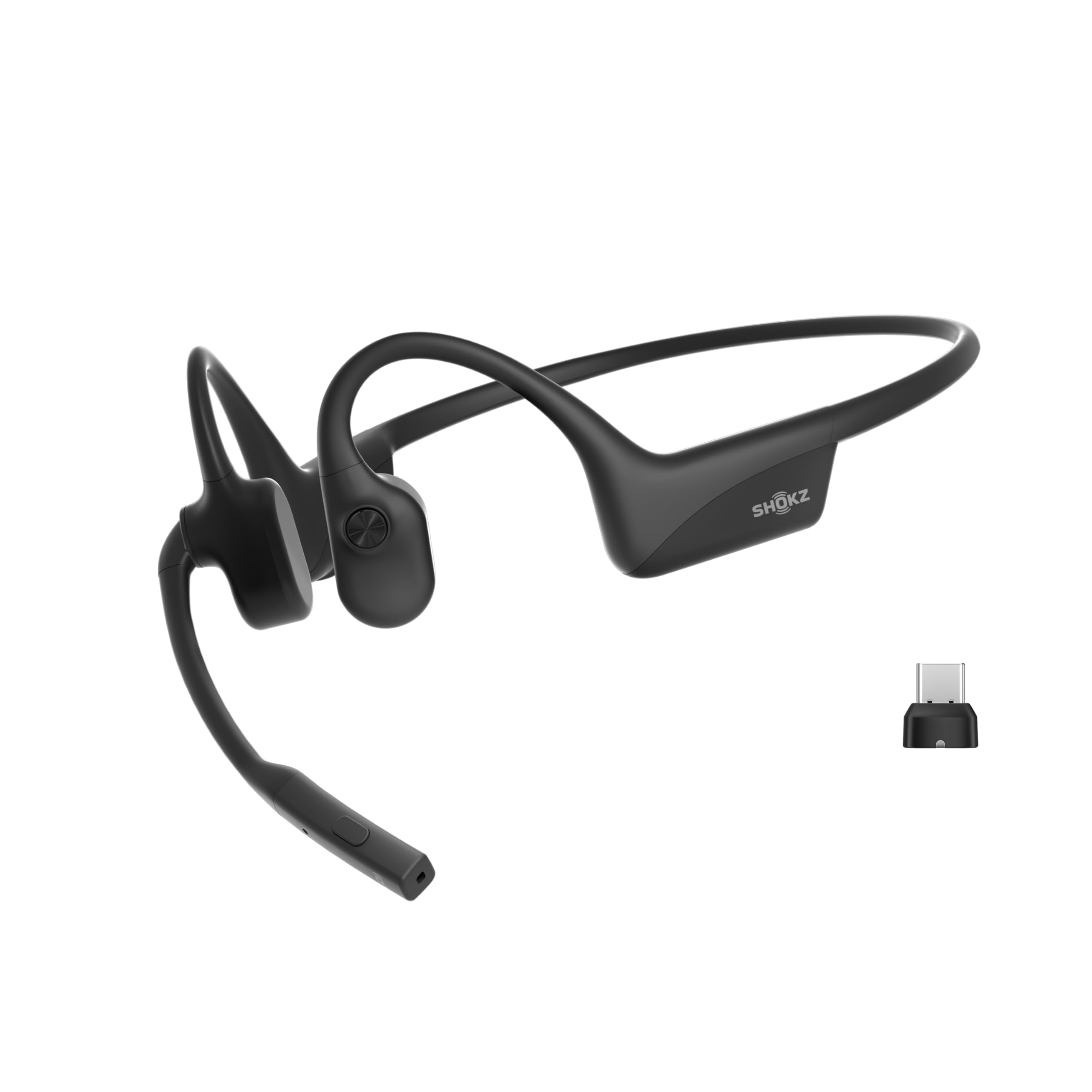
The SHOKZ OpenComm2 UC is built for computer-based calls, pairing an open-ear fit with a boom microphone and a USB-C wireless adapter.
This SHOKZ OpenComm2 UC Open-Ear Headset review looks at its work-focused strengths, battery limits, and the routines it suits best.
OpenComm2 UC Review Summary
The quick verdict
500+ ratings
Read Amazon ReviewsSHOKZ OpenComm2 UC
A lightweight open-ear headset for people who take frequent computer calls and want physical controls, a boom microphone, and a bundled wireless adapter.
- Open-ear, bone-conduction design with 7th-generation Bone Conduction Technology and PremiumPitch 2.0 audio.
- Boom microphone with noise-canceling microphone technology and DSP.
- Loop120 USB-C wireless adapter for PC and Mac connection; Zoom certified.
- Flexible frame, soft silicone finish, 35 g weight, and IP55 water resistance.

Pros
- Designed specifically around computer calls, with a boom microphone and included USB-C adapter.
- Open-ear fit can keep the ear canal uncovered during work.
Consider before buying
- Listening time is up to 8 hours, which may be limiting if you expect to use it for audio throughout a long day.
- Its work-oriented boom-microphone design may feel like more headset than needed for casual music listening.
Read the full review summary
This headset puts communication ahead of music-first extras: its open-ear design leaves the ear canal uncovered, while the boom microphone, noise-canceling microphone technology with DSP, and included Loop120 adapter are aimed at computer calls.
Zoom certification and physical controls add practical touches for someone who regularly switches between meetings and audio.
At 35 g, with up to 16 hours of talk time and up to 8 hours of listening per charge, it is positioned for a mobile workday.
The main tradeoff is that the strongest case for this model depends on wanting its call-oriented form and adapter; buyers seeking primarily workout listening or extended music playback should weigh those priorities carefully.
The buying factors
OpenComm2 UC Scorecard
Editorial scores reflect listed features and buyer fit; they are not laboratory measurements or customer ratings.
Computer-call focus
The boom microphone, DSP noise-canceling microphone, included Loop120 adapter, and Zoom certification make calls the clearest use case.
Open-ear convenience
The open-ear design can suit people who prefer not to seal their ear canals during work.
Wearability
A 35 g weight and flexible frame support a lightweight, mobile-work design.
Talk-time capacity
Up to 16 hours of talk time is useful for a call-heavy day, though the stated maximum is not a guarantee of every user's runtime.
Listening endurance
Up to 8 hours of listening is reasonable for work sessions but less generous than its talk-time figure.
On-headset controls
Physical buttons cover volume, mute, playback, and other basic actions without relying only on software controls.
Key Features and Specifications of OpenComm2 UC
- Open-ear, bone-conduction design with 7th-generation Bone Conduction Technology and PremiumPitch 2.0 audio.
- Boom microphone with noise-canceling microphone technology and DSP.
- Loop120 USB-C wireless adapter for PC and Mac connection; Zoom certified.
- Flexible frame, soft silicone finish, 35 g weight, and IP55 water resistance.
- Physical controls for volume, muting and unmuting calls, and play or pause.
- Up to 16 hours of talk time or 8 hours of listening per charge.
- A 5-minute quick charge provides up to 2 hours of talk time.
Pros and Cons of OpenComm2 UC
Pros
- Designed specifically around computer calls, with a boom microphone and included USB-C adapter.
- Open-ear fit can keep the ear canal uncovered during work.
- Lightweight construction and a flexible frame suit mobile use.
- Physical call and playback controls make frequent adjustments accessible.
- Talk-time capacity and quick charging support a schedule with multiple meetings.
Consider before buying
- Listening time is up to 8 hours, which may be limiting if you expect to use it for audio throughout a long day.
- Its work-oriented boom-microphone design may feel like more headset than needed for casual music listening.
- The USB-C adapter is a central part of the computer-connection pitch; check that your intended computer setup has a compatible USB-C port.
Who Should Buy OpenComm2 UC?
Good fit
Consider the OpenComm2 UC if you spend much of the day on calls from a PC or Mac and want an open-ear headset with a boom microphone.
The bundled Loop120 adapter and Zoom certification make it especially relevant for a desk setup where calls are a regular part of the routine.
It also makes sense for someone who moves between rooms or work locations and values a light frame, onboard mute and volume controls, and substantial talk-time capacity.
The quick-charge feature is useful when a short break is the only convenient opportunity to top up.
Before buying, compare the stated listening time with your actual mix of calls and media, and confirm your computer can use the USB-C adapter.
If your priority is a purpose-built work headset with open-ear wear, those checks help determine whether the design matches your day.
Who should skip it
Look elsewhere if you mainly want headphones for workouts, swimming, or music sessions substantially longer than the stated 8 hours of listening. This model's strongest features are aimed at computer calling rather than those routines.
Skip it if you prefer an ear-sealing fit or do not want a boom microphone on your headset. The open-ear format and call-focused hardware are central to its design.
How the OpenComm2 UC Fits a Call-Heavy Workday
An open-ear approach to meetings
The open-ear design avoids placing an earbud in the canal, which can be appealing when you want to remain aware of your immediate surroundings while working.
Bone conduction and PremiumPitch 2.0 are intended to deliver audio through that design; buyers who value immersion or a sealed listening experience may prefer another form factor.
The microphone is central to the choice
The boom microphone and DSP noise-canceling microphone technology give this headset a clear communications identity. They make it a more natural candidate for calls than for buyers who want an unobtrusive all-purpose pair of headphones.
If your meetings frequently take place in noisy spaces, consider how much microphone performance matters to your work and whether your typical environment fits the headset's intended call use.
Adapter and controls suit a computer routine
The Loop120 USB-C adapter is supplied for PC and Mac use, and Zoom certification is aimed at straightforward software integration.
Physical buttons for volume, mute, and playback are useful when you want to make common adjustments on the headset itself. Check port availability and your particular device setup before relying on the adapter as your primary connection method.
Talk time and listening time serve different days
The stated maximums distinguish talk time from general listening: up to 16 hours for calls and up to 8 hours for listening. That makes the headset more compelling for a meeting-heavy schedule than for continuous music playback.
A 5-minute quick charge providing up to 2 hours of talk time can help bridge a short gap, but buyers with long stretches away from charging should plan around their expected use.
Alternatives to OpenComm2 UC
Battery-focused alternative
1,000+ ratings
Read Amazon ReviewsSHOKZ OpenDots 2
Choose the OpenComm2 UC if you want a call-focused headset with a boom mic and included computer adapter.
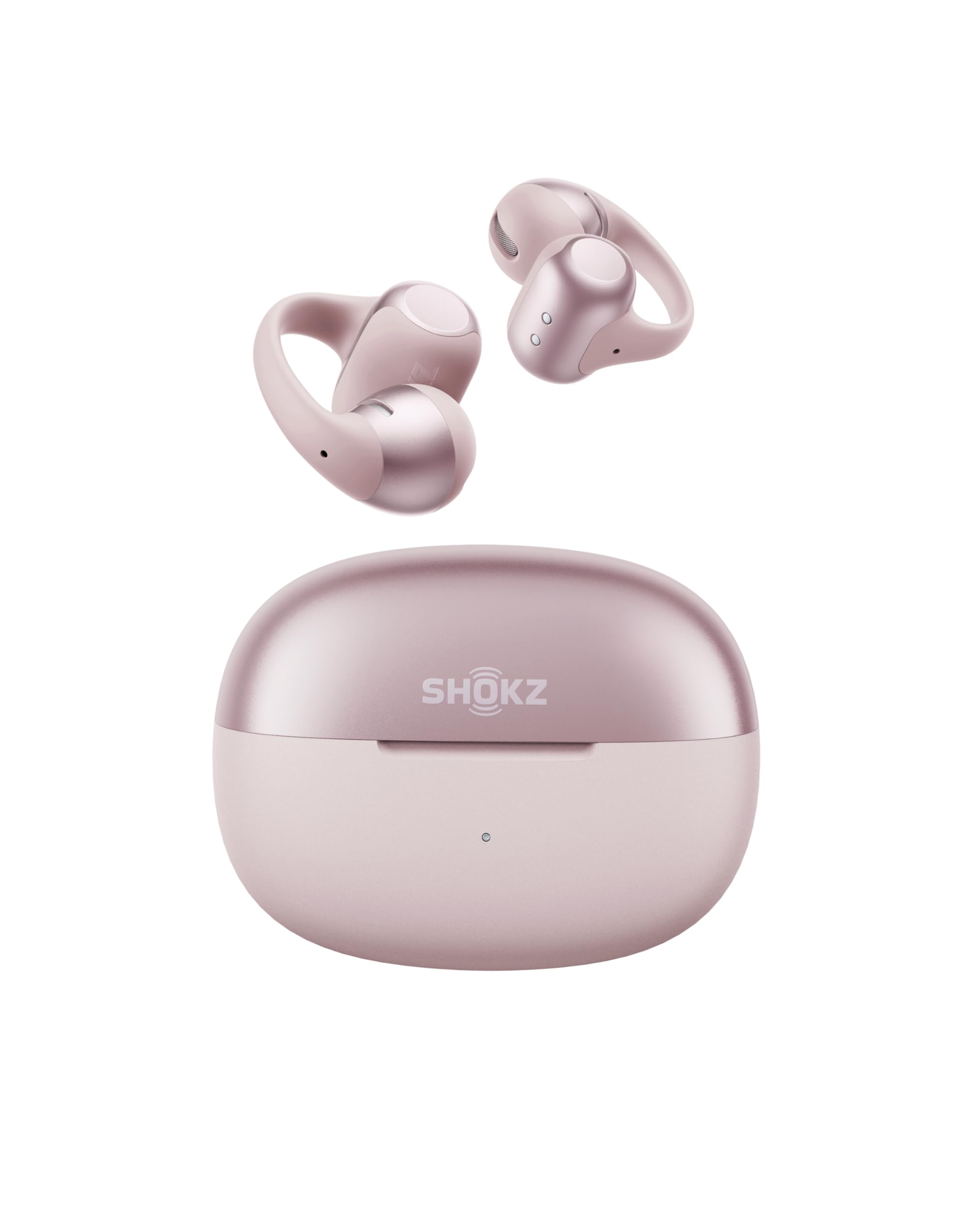
Consider OpenDots 2 if you prefer a clip-on earbud form and want case-based charging and app controls; the two designs suit different wearing preferences.
- OpenDots 2 uses clip-on earbuds, three microphones, app-based customization, and a charging case; its stated maximum listening time is up to 10 hours per charge and up to 40 hours total with the case.
- The OpenComm2 UC uses a flexible open-ear frame with a boom microphone and a USB-C adapter for computer calls.
Battery-focused alternative
9,000+ ratings
Read Amazon ReviewsSHOKZ OpenRun Pro 2
Stay with the OpenComm2 UC for a computer-call routine where the boom microphone and adapter matter.
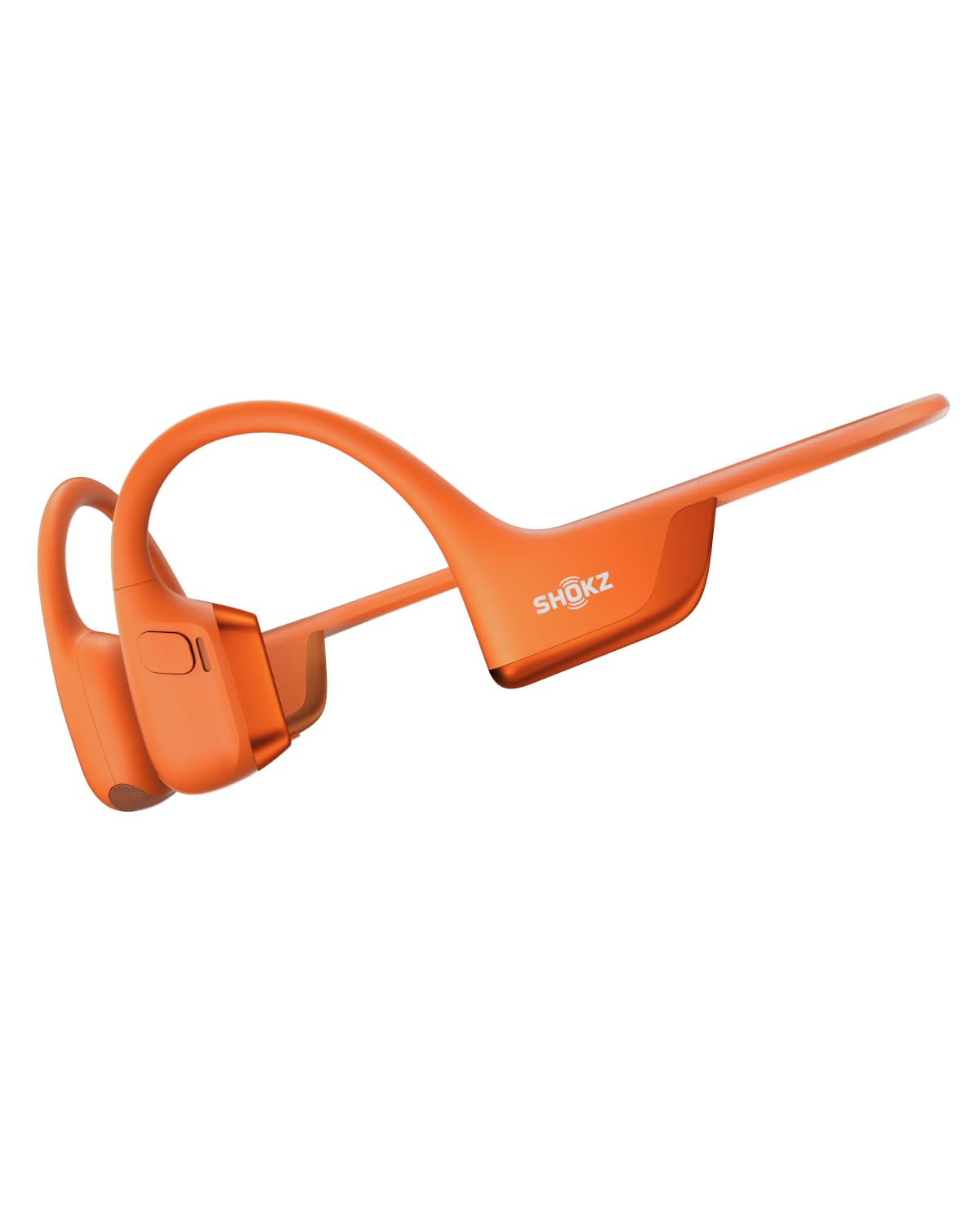
Consider OpenRun Pro 2 if your main use is exercise and you value its workout-oriented fit, app EQ modes, and longer stated audio time.
- OpenRun Pro 2 is presented for workouts and runs, combining bone- and air-conduction drivers, EQ modes in the Shokz App, and up to 12 hours of audio.
- The OpenComm2 UC emphasizes computer calls, with a boom microphone, Loop120 USB-C adapter, and Zoom certification.
Is OpenComm2 UC Worth It?
The SHOKZ OpenComm2 UC is worth considering if you want an open-ear headset built around computer calls.
Its boom microphone, Loop120 adapter, physical controls, and up to 16 hours of talk time make a coherent package for a meeting-heavy workday.
Its fit is more specialized than a general-purpose pair of headphones, and the stated listening time is shorter than its talk-time figure.
Confirm that the open-ear design and USB-C adapter suit your setup, then choose it for communication first rather than all-day music or sports use.
Your review at a glance
500+ ratings
Read Amazon ReviewsSHOKZ OpenComm2 UC
A lightweight open-ear headset for people who take frequent computer calls and want physical controls, a boom microphone, and a bundled wireless adapter.
- Open-ear, bone-conduction design with 7th-generation Bone Conduction Technology and PremiumPitch 2.0 audio.
- Boom microphone with noise-canceling microphone technology and DSP.
- Loop120 USB-C wireless adapter for PC and Mac connection; Zoom certified.
- Flexible frame, soft silicone finish, 35 g weight, and IP55 water resistance.