The best portable photo printers balance the print size and finish you want with the ease of carrying and connecting the device. These picks range from pocket Zink printers for sticky-backed snapshots to dye-sublimation models for larger prints, so choose based on where and how you plan to share them.
Quick Top Products
KODAK Mini 2 Retro

- Makes credit-card-sized prints with 4PASS dye sublimation and a laminated finish.
- Connects to compatible iOS and Android phones through Bluetooth.
- Includes 38 sheets of photo paper and four cartridges.
Best For: Travelers and scrapbookers who want credit-card-sized color prints with a protective lamination layer.

HP Sprocket Select

- Prints larger 2.3 x 3.4-inch photos from a smartphone or social media.
- Uses sticky-backed Zink paper without toner or ribbon replacements.
- Bluetooth 5.1 connects with iOS and Android devices.
Best For: Phone users who want pocket portability with larger adhesive-backed snapshots.
KODAK Dock Plus
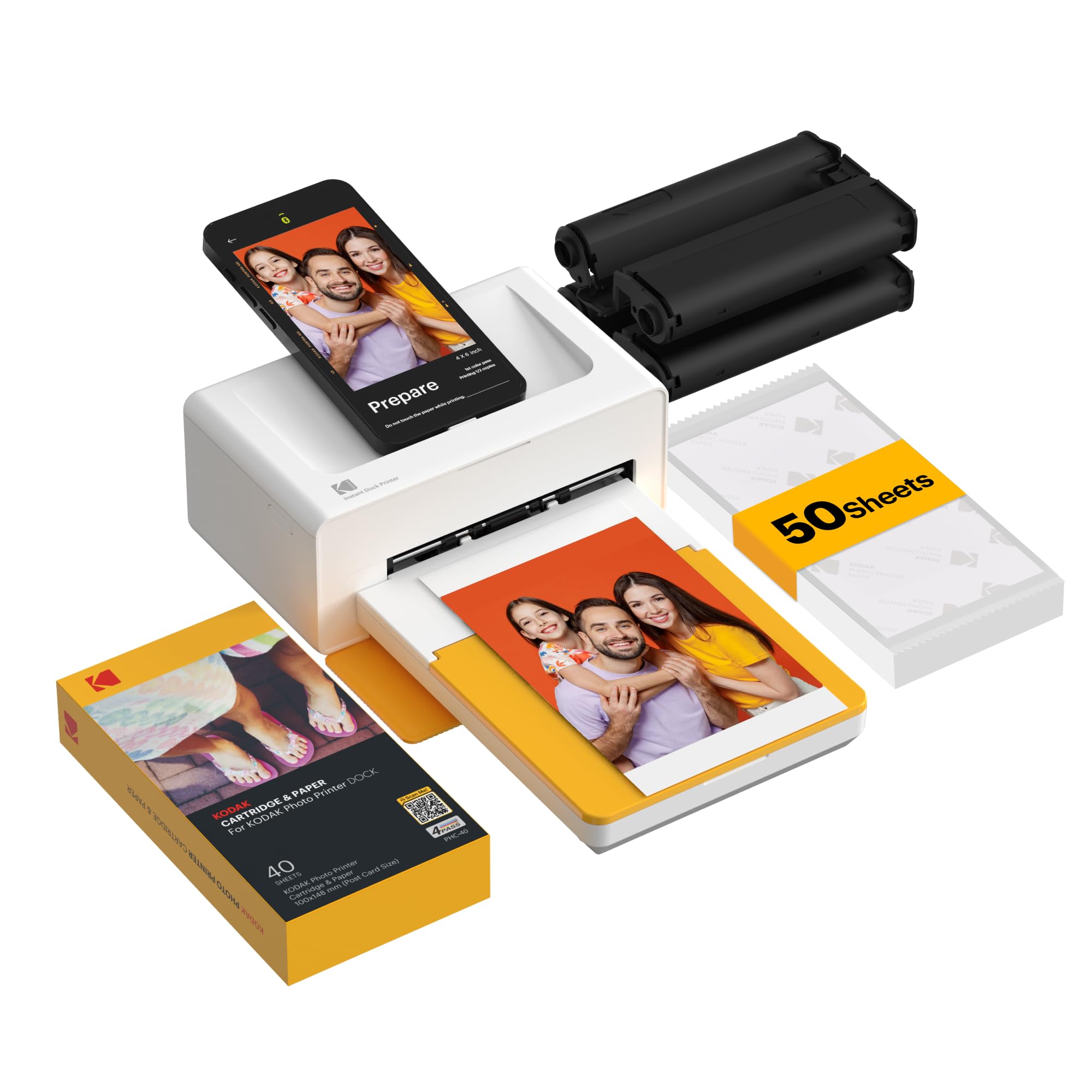
- Prints 4x6 photos using 4PASS dye sublimation and protective lamination.
- The integrated dock charges a compatible phone during printing.
- Connects by Bluetooth to compatible iOS and Android devices.
Best For: Home users who want 4x6 prints and a printer that docks and charges a compatible phone.
KODAK Step

- Prints 2x3-inch Zink photos with peel-and-stick backing.
- Pairs with iOS or Android devices through Bluetooth or NFC.
- The rechargeable battery supports up to 25 photos per full charge.
Best For: Crafters and travelers who want adhesive-backed 2x3 prints with a rechargeable pocket printer.
Liene Pearl K100
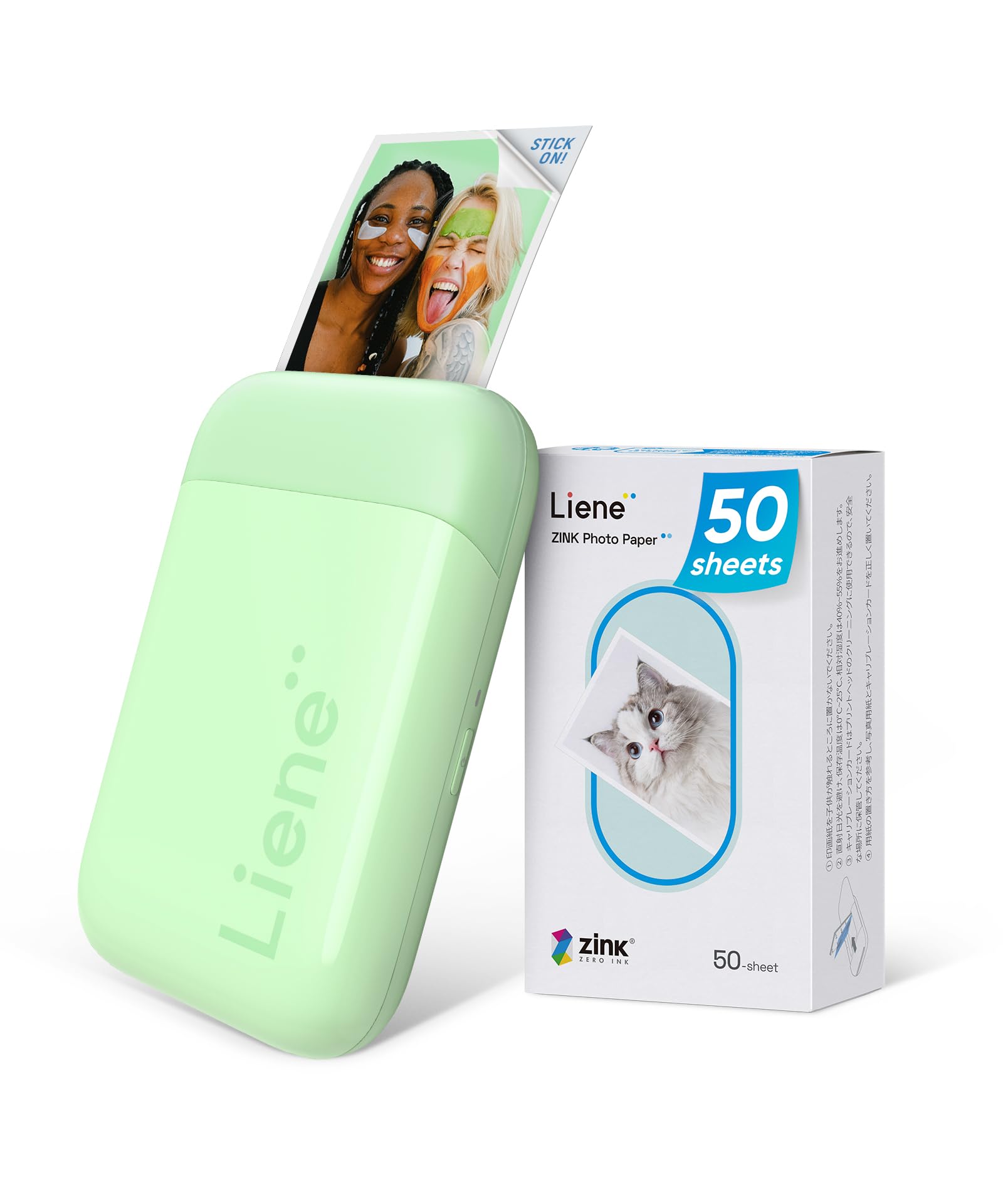
- Prints 2x3-inch photos on adhesive-backed Zink paper.
- Includes 50 sheets of color photo paper.
- Connects to iOS and Android phones over Bluetooth 5.2.
Best For: Phone users seeking a light 2x3 Zink printer with a sizeable included paper pack.
Kodak x Barbie Step Slim
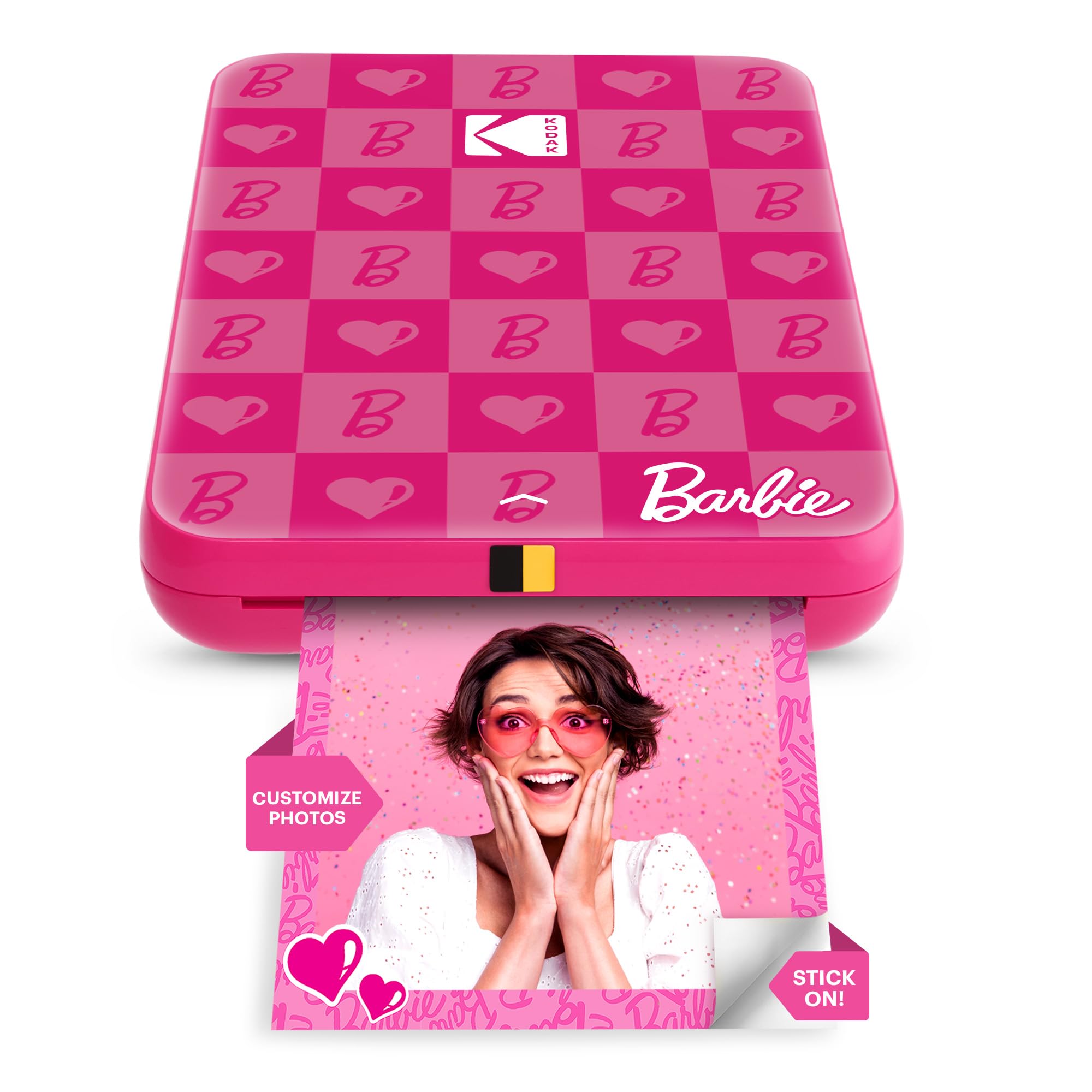
- Makes sticky-backed 2x3 Zink photos from a phone.
- Connects with iOS and Android through Bluetooth or NFC.
- The lightweight printer is specified to print up to 25 photos on one charge.
Best For: Fans who want a lightweight, themed 2x3 Zink printer for phone photos and stickers.
Liene M100
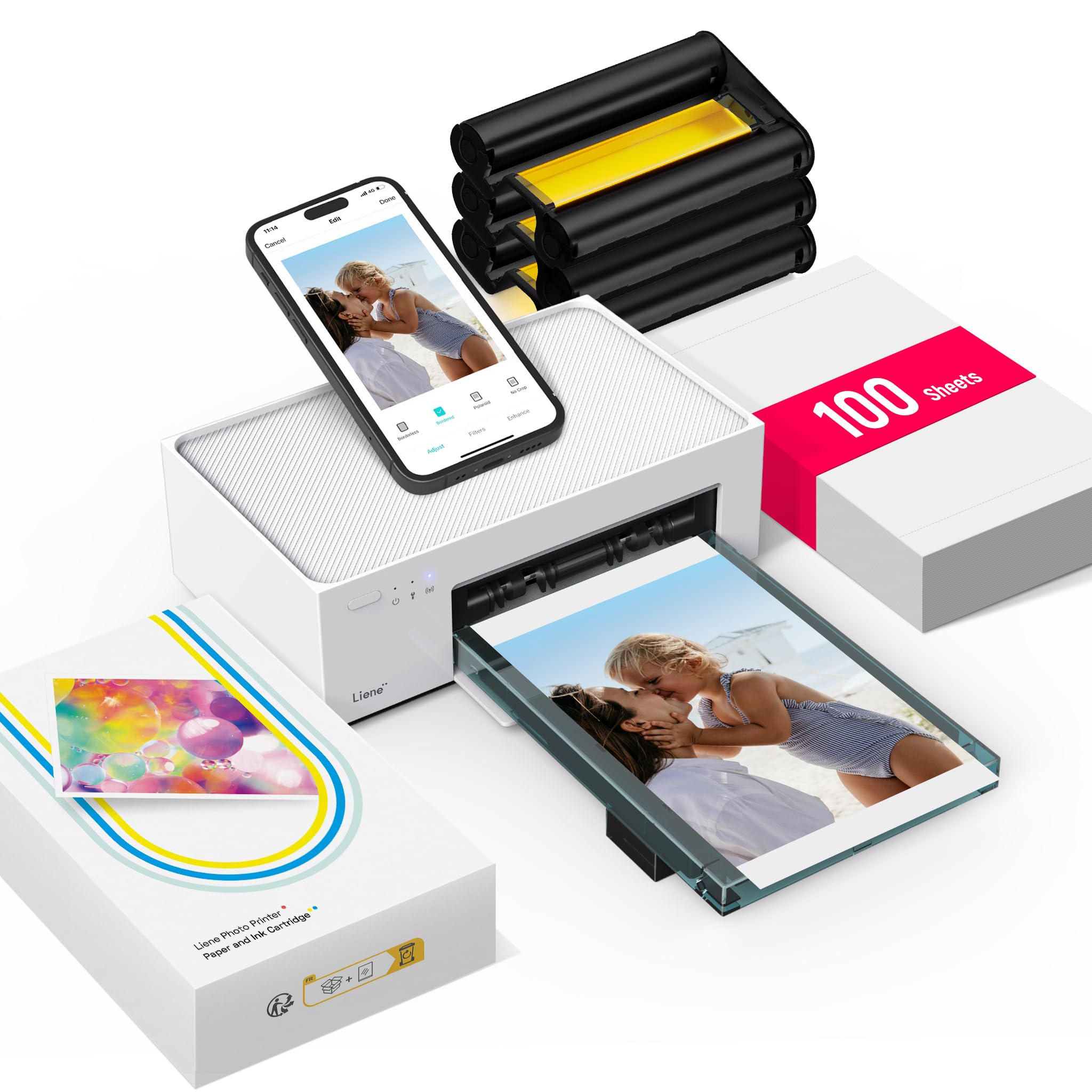
- Prints 4x6 color photos with thermal dye sublimation.
- The package includes 100 sheets of paper and three color cartridges.
- Its Wi-Fi hotspot allows direct phone connection and supports multiple devices.
Best For: Families who want 4x6 dye-sublimation prints and a substantial paper and cartridge bundle.
HP Sprocket Studio Plus
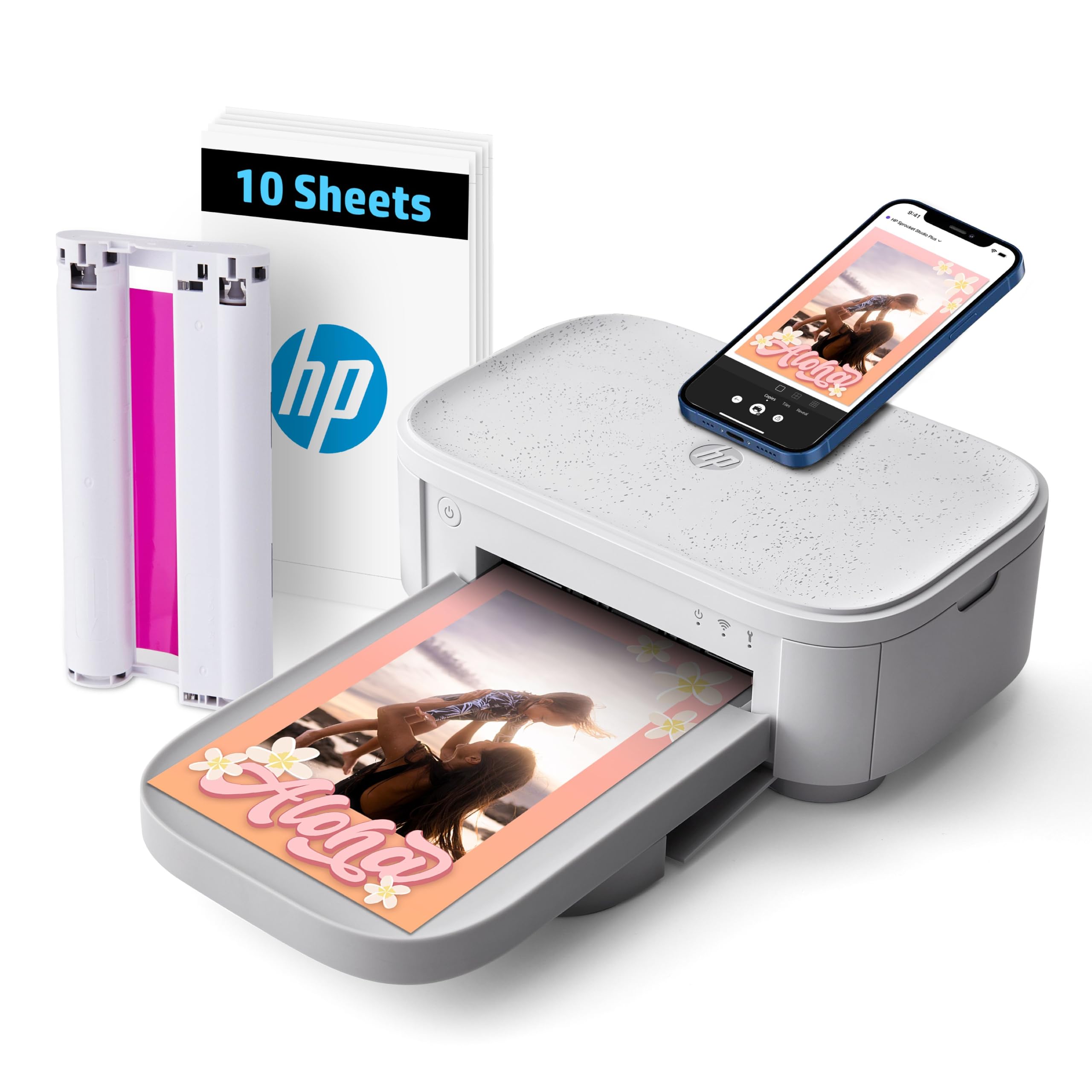
- Produces dry-to-the-touch 4x6 photos using dye sublimation.
- Connects to a smartphone through the HP Sprocket app and Wi-Fi.
- Includes 10 sheets and a cartridge.
Best For: Phone users who want dry-to-the-touch 4x6 photos and app-based creative layouts.
HP Sprocket 3x4
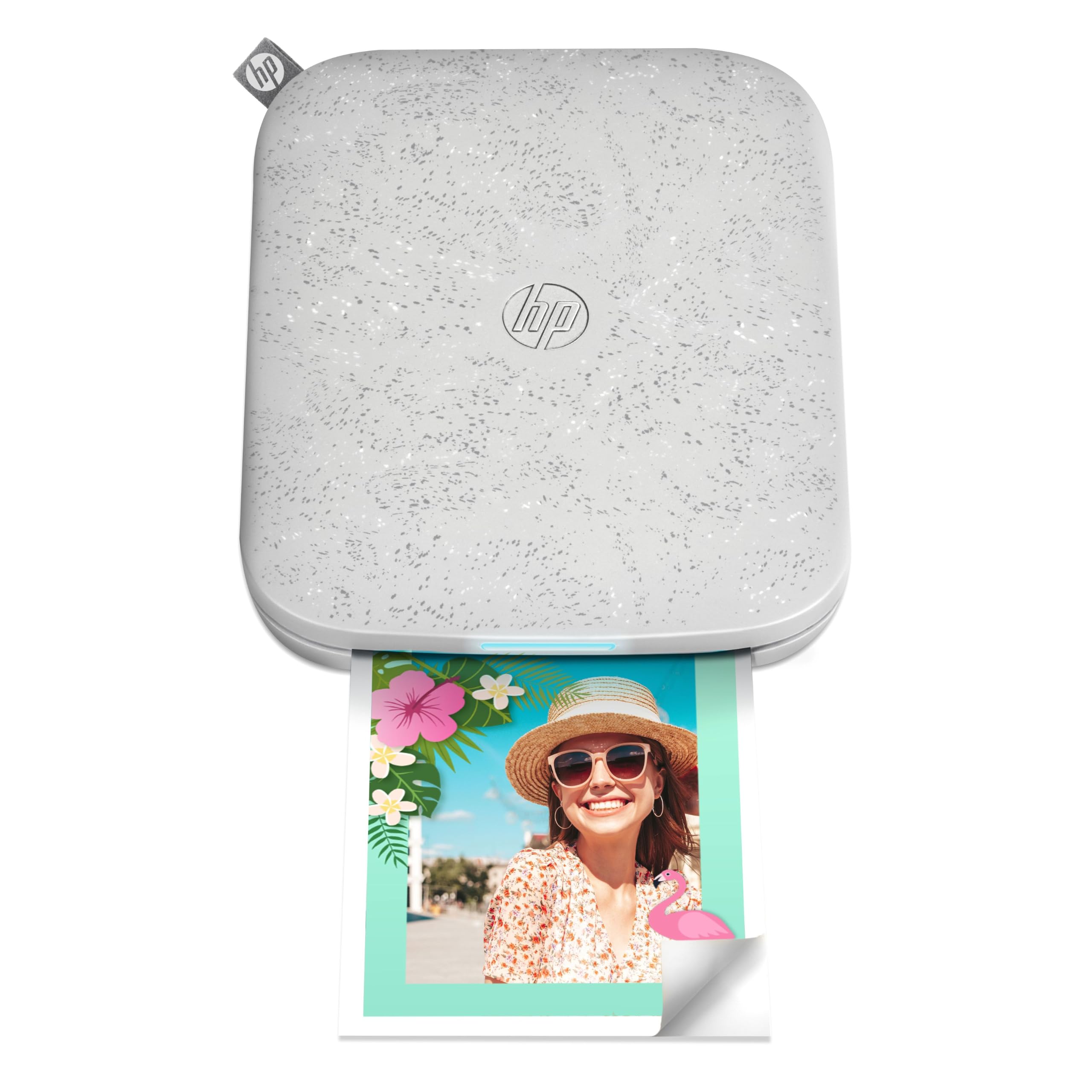
- Prints 3.5 x 4.25-inch photos using Zink technology.
- Connects over Bluetooth to iOS and Android devices.
- Supports multiple users and app-based photo editing.
Best For: Scrapbookers who want portable Zink printing in a larger, more display-ready format.
Liene Pearl N200 Pro
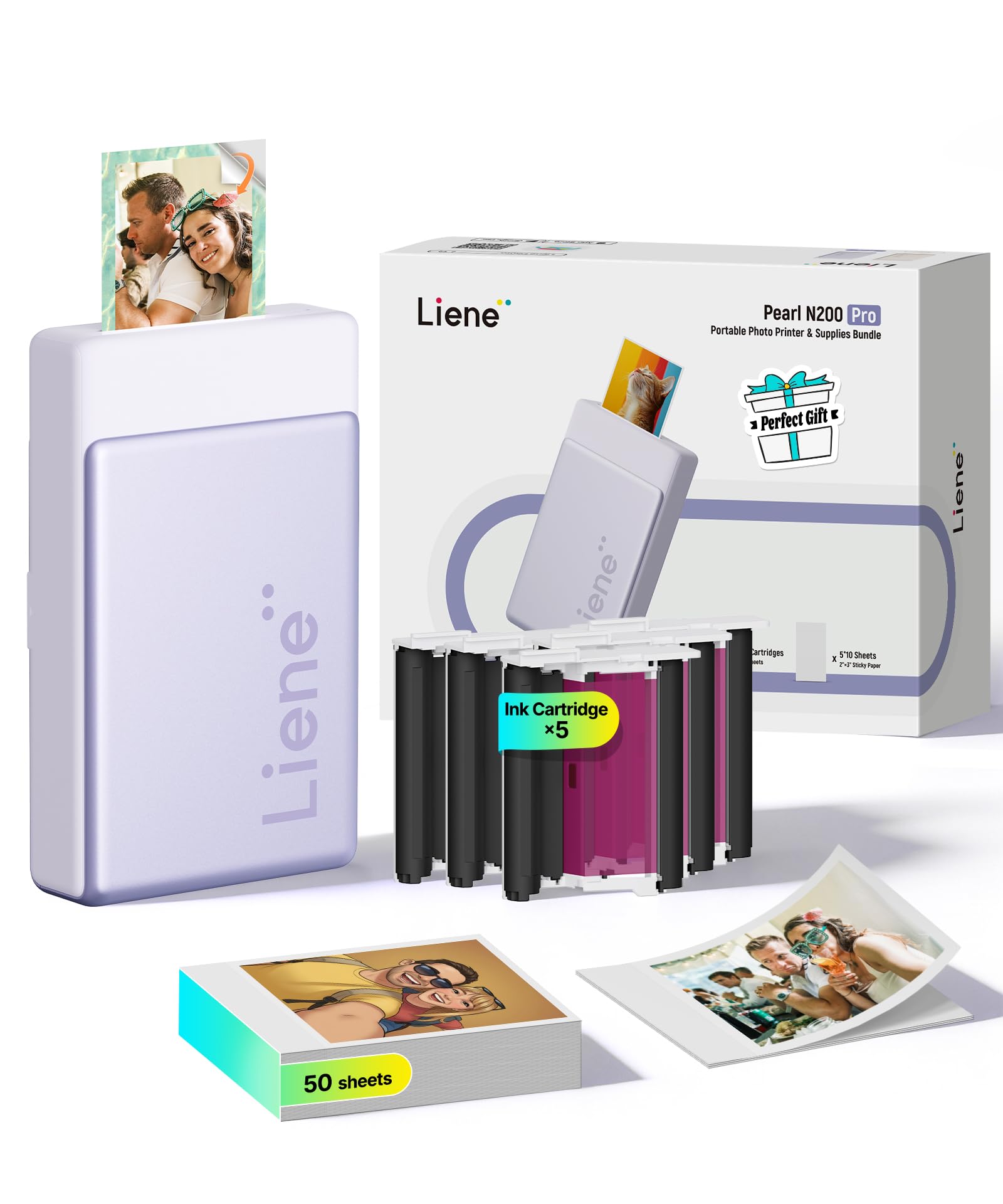
- Uses dye-sublimation technology for 2x3 adhesive-backed prints.
- Includes 50 sheets of 2x3 adhesive paper and five cartridges.
- Its InstaPic mode enables shoot-and-print from the device.
Best For: Party hosts and phone users who want a compact 2x3 dye-sublimation printer with a built-in camera mode.
Portable Dye-Sublimation Prints
KODAK Mini 2 Retro 2x3 Portable Photo Printer, 38 Sheets, Bluetooth Smartphone Printer for iPhone & Android, Instant Color Prints, 4PASS Dye Sublimation, Yellow
The KODAK Mini 2 Retro uses 4PASS dye-sublimation printing to make compact color photos from an iOS or Android phone over Bluetooth. Each print is produced in color layers and finished with clear lamination, a useful distinction from pocket printers that make adhesive-backed Zink snapshots.
The printer fits in a hand, bag, or pocket, and the included bundle has 38 sheets of paper, four cartridges, a USB-C cable, and a guide. Its credit-card-sized output suits albums and planners, though it does not provide larger prints.
Best For: Travelers and scrapbookers who want credit-card-sized color prints with a protective lamination layer.
| Pros | Cons |
|---|---|
|
|
Choose the Mini 2 Retro if you want small, laminated keepsake prints and a printer that can travel in a bag or pocket. The supplied paper and cartridge bundle is a practical advantage for trips or scrapbooking sessions.
Check that the credit-card-sized output matches your album or display plans; it is not the choice for larger prints. Also check how its power and charging arrangements fit your use, since the number of prints per charge is not specified.
Larger Zink Prints in a Pocket Format
HP Sprocket Select 2.3x3.4 Instant Photo Printer, Print Pictures on Zink Sticky-Backed Paper from Your iOS & Android Device, Portable Printer for Home Use and Travel, Eclipse
The HP Sprocket Select makes prints larger than a common pocket format from iOS or Android devices. It connects over Bluetooth and uses sticky-backed paper with color embedded in the sheet, so there are no toner or ribbon replacements.
The HP app adds frames, filters, and social-photo access, including a hashtag-to-print feature. Its slim, rechargeable design is intended for home use and travel.
Consider the cost and availability of compatible paper, and note that the included paper quantity is not specified here.
Best For: Phone users who want pocket portability with larger adhesive-backed snapshots.
| Pros | Cons |
|---|---|
|
|
Pick the Sprocket Select if you want a pocketable phone printer but prefer prints larger than a common pocket format. Its app tools and social-photo access suit casual sharing, while Zink avoids separate toner or ribbon replacements.
The tradeoff is a smaller, adhesive-backed format rather than a traditional photo print. Before buying, confirm the paper pack included with the particular offer and the ongoing cost of Select-compatible media.
A Phone-Charging Photo Dock
KODAK Dock Plus 4x6'' Photo Printer, 50 Sheets, Docking & Bluetooth Smartphone Printer for iPhone & Android, Instant Color Prints, 4PASS Dye Sublimation
The KODAK Dock Plus brings portable phone printing to a home desktop, where its integrated dock holds and charges a compatible phone as it prints. It makes 4x6 color photos with 4PASS dye sublimation, applying a clear lamination layer designed to resist fingerprints, water, and fading.
Bluetooth and the KODAK Photo Printer app handle wireless printing and basic edits from iOS or Android. The unit connects to a power outlet, so its larger print format and docking convenience come with less freedom to print away from a power source.
It is a fit for albums, framing, and family-event prints rather than pocket carry.
Best For: Home users who want 4x6 prints and a printer that docks and charges a compatible phone.
| Pros | Cons |
|---|---|
|
|
Choose the Dock Plus when 4x6 prints and a phone-charging dock matter more than carrying the printer everywhere. It connects to a wall outlet, so it suits a home printing station better than an outing.
Its laminated dye-sublimation prints differ from the small adhesive-backed prints of pocket Zink models. Check the included paper and cartridge quantity before purchase, and make sure the docking connection suits the phone you plan to use.
Pocket Zink Printer for Craft Projects
KODAK Step Instant Smartphone Photo Printer, Portable Mini Color Wireless Mobile Printer, Zink 2x3” (5.1x7.5 cm) Sticky-Back Photos, Bluetooth Compatible with iOS & Android Devices, Editing App, White
The KODAK Step is a palm-sized printer for 2x3 sticky-backed color photos. It connects to iOS and Android devices through Bluetooth or NFC and uses Zink paper, which embeds color crystals in the sheet instead of requiring separate ink or toner.
Its rechargeable battery is specified for up to 25 photos on a full charge, and the app offers filters, borders, stickers, text, and collage tools. The included starter pack gives you paper to begin, but its exact sheet count is not stated in the supplied details.
Its small prints suit journals and labels better than framed photo display.
Best For: Crafters and travelers who want adhesive-backed 2x3 prints with a rechargeable pocket printer.
| Pros | Cons |
|---|---|
|
|
The Step fits buyers who want a simple pocket printer for travel journals, planners, or party favors. Its app editing tools and stated battery capacity support casual printing away from a desk.
The main tradeoff is format: the adhesive-backed prints are small, so choose another model if you want conventional larger photos. Confirm the starter paper quantity and budget for compatible Zink refills before relying on it for a larger project.
Lightweight Bluetooth Sticker Printer
Liene Pearl K100 Photo Printer, 2x3” Mini Portable Instant Phone Printer 50 Zink Adhesive Paper, Bluetooth 5.2 Compatible w/iOS & Android, Small Color Picture Printer for iPhone Smartphone Green
The Liene Pearl K100 is a small Bluetooth printer for adhesive-backed color photos. It works with iOS and Android phones, uses Zink paper to avoid separate ink cartridges, and includes 50 sheets of color paper.
Its Type-C charging connection and sliding cover are useful details for a compact travel setup. The Liene app is required for printing and includes a print-head cleaning feature; a blue calibration card is needed for that process.
This model focuses on sticker-sized prints, so its convenience comes with a smaller output than larger photo printers.
Best For: Phone users seeking a light 2x3 Zink printer with a sizeable included paper pack.
| Pros | Cons |
|---|---|
|
|
Choose this Pearl K100 if you want a lightweight phone printer with a generous starter supply of small adhesive-backed prints. Bluetooth pairing and Type-C charging make it easy to add to a travel bag, while the app-only workflow is a constraint for anyone wanting to print directly from another app.
Check the cleaning process and availability of its calibration card, and remember that the 2x3 output is aimed at stickers, journals, and small keepsakes.
Barbie-Themed Pocket Printing
Kodak x Barbie Instant Smartphone Portable Photo Printer, Full Color, Wireless, Zink 2x3” (5.1x7.5 cm) Sticky-Back Photos, Print from iOS & Android Devices with Fun Editing App, Iconic Style
The Kodak x Barbie Step Slim is a lightweight pocket printer for 2x3 adhesive-backed Zink photos. It connects with iOS and Android devices through Bluetooth or NFC, and its app supports capturing, editing, printing, and sharing images.
Zink printing avoids ink, toner, and cartridges, while the paper is described as smudge-proof, water-resistant, and tear-resistant. The printer's pink Barbie styling gives it a distinct gift angle, and the details specify a 10-sheet capacity.
The supplied facts do not say how much paper comes in the starter pack or how many prints its battery supports, so check those details if you expect frequent use.
Best For: Fans who want a lightweight, themed 2x3 Zink printer for phone photos and stickers.
| Pros | Cons |
|---|---|
|
|
This Step Slim suits a buyer who values its Barbie styling alongside phone-based printing for journals, parties, or sticker projects. It shares the small Zink format and inkless supply approach of other pocket printers, so its distinction is the themed design rather than larger prints.
Check the actual starter-paper quantity and refill cost before buying. If your priority is a larger print or conventional photo format, select a dye-sublimation option instead.
Larger Prints with a Full Starter Pack
Liene M100 4x6'' Photo Printer, Phone Printer 100 Sheets & 3 Cartridges, Full-Color Photo, Portable Instant Photo Printer for iPhone Android, Thermal Dye Sublimation, Wi-Fi Picture Printer 100 Papers
The Liene M100 makes full-color 4x6 photos using thermal dye-sublimation, with a laminated surface designed to resist water, scratches, fingerprints, and fading. Its built-in Wi-Fi hotspot connects phones directly, and it supports up to five simultaneous device connections.
The package includes 100 sheets of photo paper and three color cartridges, making it ready for a larger batch of prints than pocket-sized starter packs. It is described as portable, but the supplied dimensions and 200-gram weight should be checked against your idea of travel-friendly.
It also uses proprietary cartridges, an ongoing supply consideration.
Best For: Families who want 4x6 dye-sublimation prints and a substantial paper and cartridge bundle.
| Pros | Cons |
|---|---|
|
|
Pick the M100 if you want larger photos and expect to print enough that the 100-sheet bundle matters. Its hotspot and support for several simultaneous connections make it practical for a household sharing one printer.
The tradeoff is greater dependence on proprietary supplies and a less pocket-oriented form than mini printers. Verify the dimensions against your travel plans and check cartridge availability and refill cost before committing.
Wi-Fi 4x6 Printing from a Phone
HP Sprocket Studio Plus 4x6 Wireless Instant Photo Printer, 10 Sheets + Cartridge, Wi-Fi, Premium Dye Sublimation, Compact Home Use, Prints Vibrant Color Pictures, Editing App for Creative Photos
The HP Sprocket Studio Plus is a compact home-use printer for dry-to-the-touch 4x6 color photos. It connects to a Wi-Fi-enabled phone through the HP Sprocket app and uses dye-sublimation printing.
The app supports stickers, frames, filters, collages, photo-booth layouts, and photo IDs, making it more flexible for preparing prints than a basic send-and-print workflow. The bundle includes 10 sheets and a cartridge.
Although the model is called compact, it is intended for home use rather than pocket carry, and the supplied details do not give battery operation or a weight for travel planning.
Best For: Phone users who want dry-to-the-touch 4x6 photos and app-based creative layouts.
| Pros | Cons |
|---|---|
|
|
Choose the Studio Plus if your version of portable means moving a compact printer around the home, rather than carrying it in a bag. It makes 4x6 prints and offers creative app layouts, but its Wi-Fi workflow and home-use positioning differ from pocket Bluetooth printers.
The starter supply is modest, so check refill availability if you plan to make albums or event prints. Confirm its physical size and power needs before treating it as a travel printer.
Wider Sticky-Back Prints
HP Sprocket 3x4 Instant Photo Printer – Wirelessly Print 3.5x4.25” Photos on Zink Paper from iOS & Android Devices
The HP Sprocket 3x4 is a travel-sized Bluetooth printer that makes 3.5 x 4.25-inch sticky-backed color photos from iOS or Android devices. Its Zink paper avoids separate ink or toner and provides an adhesive backing for scrapbooks, lockers, or photo walls.
The HP app adds stickers, borders, and filters, and the printer supports multiple users at once. Its larger print area stands out among pocket models, but the output still uses specialty Zink paper rather than standard photo media.
The supplied details do not specify how many sheets are included, so factor paper availability into the purchase.
Best For: Scrapbookers who want portable Zink printing in a larger, more display-ready format.
| Pros | Cons |
|---|---|
|
|
The Sprocket 3x4 suits scrapbookers and event users who want larger adhesive-backed prints without moving to a desktop printer. Bluetooth and multiple-user support help when several people are sharing photos.
The tradeoff is specialty Zink media and a print size that remains smaller than larger standard photo formats. Confirm the included paper quantity and ongoing refill cost, especially if you plan to use it for gatherings.
Shoot-and-Print with Dye Sublimation
Liene Pearl N200 Pro Portable Photo Printer, Instant Mini Picture Printer for iPhone Smartphone, Thermal Dye Sublimation, Bluetooth Sticker Printer 50 Sheets 2x3 Adhesive Paper & 5 Cartridges, Purple
The Liene Pearl N200 Pro combines a compact Bluetooth photo printer with a shoot-and-print mode. It makes 2x3 adhesive-backed photos using dye-sublimation technology, and the included bundle names 50 sheets and five cartridges.
Its app adds artistic styles, frames, background removal, watermarks, and timestamps. The InstaPic mode is designed to skip selecting an image from the phone album, while multi-device pairing supports group use.
The product details also give a charge capacity of up to 27 stickers. This option is more feature-rich than a basic pocket Zink printer, though buyers should confirm the included paper and cartridge compatibility for future refills.
Best For: Party hosts and phone users who want a compact 2x3 dye-sublimation printer with a built-in camera mode.
| Pros | Cons |
|---|---|
|
|
Choose the N200 Pro if you want a compact 2x3 printer with an integrated shoot-and-print workflow and extensive app editing. Its included paper, cartridge bundle, and multi-device pairing support immediate use at gatherings.
The tradeoff is that its 2x3 format remains small, even with dye-sublimation printing. Before buying, check which refills fit this model and whether the 27-sticker charge capacity matches the length of your event or outing.
How to Choose Portable Photo Printers
How We Picked Portable Photo Printers
The selection favors devices that make photographs from a phone and can reasonably travel between rooms, events, or trips. It includes both pocket printers and compact home models, since buyers use portable photo printers for different print sizes and settings.
Duplicate color offers and bundles of a model already represented were left out. Sticker makers that print only monochrome text and labels were not treated as photo printers.
The main use cases are immediate 2x3 snapshots for journals and sharing, larger adhesive-backed prints for scrapbooks, and laminated dye-sublimation photos for albums or framing. The guide also considers connection method, app workflow, included media, and whether a model needs an outlet or can run on a rechargeable battery.
These details shape convenience and ongoing supply needs.
Comparing Portable Photo Printers
Pocket Zink models such as the KODAK Step, HP Sprocket Select, Liene Pearl K100, and Barbie Step Slim trade larger photo dimensions for easy carrying and sticky-backed prints. The HP Sprocket 3x4 increases the print area while retaining adhesive Zink media.
These models suit quick sharing and craft projects, but buyers should confirm the paper pack and ongoing compatible-paper cost.
Dye-sublimation printers make a different kind of keepsake. The KODAK Mini 2 Retro produces compact laminated prints, while the Dock Plus, Liene M100, and HP Sprocket Studio Plus serve buyers who want 4x6 photos at home or from a portable setup.
The Liene Pearl N200 Pro sits between those groups with compact 2x3 output, a shoot-and-print mode, and a multi-cartridge supply bundle. Compare the exact print format before choosing; the word portable alone does not indicate pocket size or battery operation.
| Product | Standout features | Best for |
|---|---|---|
| KODAK Mini 2 RetroCheck Price |
| Travelers and scrapbookers who want credit-card-sized color prints with a protective lamination layer. |
| HP Sprocket SelectCheck Price |
| Phone users who want pocket portability with larger adhesive-backed snapshots. |
| KODAK Dock PlusCheck Price |
| Home users who want 4x6 prints and a printer that docks and charges a compatible phone. |
| KODAK StepCheck Price |
| Crafters and travelers who want adhesive-backed 2x3 prints with a rechargeable pocket printer. |
| Liene Pearl K100Check Price |
| Phone users seeking a light 2x3 Zink printer with a sizeable included paper pack. |
| Kodak x Barbie Step SlimCheck Price |
| Fans who want a lightweight, themed 2x3 Zink printer for phone photos and stickers. |
| Liene M100Check Price |
| Families who want 4x6 dye-sublimation prints and a substantial paper and cartridge bundle. |
| HP Sprocket Studio PlusCheck Price |
| Phone users who want dry-to-the-touch 4x6 photos and app-based creative layouts. |
| HP Sprocket 3x4Check Price |
| Scrapbookers who want portable Zink printing in a larger, more display-ready format. |
| Liene Pearl N200 ProCheck Price |
| Party hosts and phone users who want a compact 2x3 dye-sublimation printer with a built-in camera mode. |
Choosing a Print Size and Finish
Start with where the photo will go. Small adhesive-backed prints fit journals, planners, and lockers; the 2.3 x 3.4-inch HP Select or 3.5 x 4.25-inch Sprocket 3x4 gives more image area for display and scrapbooking.
For albums, gifts, or frames, consider a 4x6 printer such as the Dock Plus, M100, or Studio Plus. The KODAK Mini 2 Retro makes compact credit-card-sized prints with a laminated finish.
Zink avoids separate ink cartridges, but it still requires compatible photo paper, and most pocket models here use adhesive media. Dye-sublimation uses cartridges and paper together, while its laminated output is designed to resist handling marks and moisture.
Consider whether you prefer stickers or conventional photo prints, then check the refill type and included quantity for the exact model.
Phone Connection, Power, and Supplies
Bluetooth is common among the pocket photo printers and supports direct phone printing. The KODAK Step also lists NFC, while the Liene M100 uses its own Wi-Fi hotspot and the HP Studio Plus connects through Wi-Fi.
App requirements vary: the Pearl K100 requires the Liene app, and Kodak and HP models provide editing features in their respective apps. Check phone compatibility and whether the workflow starts from your usual photo library or requires importing into a separate app.
A rechargeable battery makes a pocket printer easier to use away from an outlet, but stated capacity differs by model. The Kodak x Barbie Step Slim is specified for up to 25 photos per charge, the KODAK Step for 25, and the Liene N200 Pro for up to 27 stickers.
Other models here do not give a charge count in the supplied details. For event or family use, consider the starter paper bundle and refill availability as carefully as printer portability.
Who Should Buy Which Portable Photo Printer?
Choose a pocket Zink model for casual snapshots, travel journals, and sticker-style sharing. The KODAK Step is a practical fit when its editing app and rechargeable format suit your routine; the HP Sprocket Select or 3x4 makes sense when you want a larger Zink print.
The Liene Pearl K100 includes 50 sheets, while the Barbie Step Slim brings a themed design for a gift or fan.
Choose a dye-sublimation model when photo finish or a larger format matters more than pocket carry. The KODAK Mini 2 Retro suits compact laminated keepsakes, while the Dock Plus and HP Studio Plus are geared to 4x6 home printing; the Liene M100 adds a large paper bundle and multi-device hotspot connection.
For small prints with a direct camera-style workflow, consider the Liene Pearl N200 Pro. Match the printer to the format you will use, then check refill compatibility and the included supplies before buying.